



No More Guesswork On-Site: How to Equip Install Crews With Clear, Up-to-Date Job Information
The call usually comes in around 3:30 p.m.
Your install lead is on-site, standing in a half-finished kitchen, phone on speaker, laser in hand.
“These cabinets don’t match the wall. The drawing says 112 inches, but the opening is 110 ⅞. Do you want us to cut the fillers, shift the run, or what?”
Behind that one question is the real problem: the people doing the most visible, time-sensitive work are often working with the worst information.
The shop had the latest drawings. The office emailed a revised elevation. Someone scribbled notes from the site visit on a pad. But what actually made it into the van that morning was… whatever was printed last.
Field installs are where bad information finally shows up in three dimensions. If the install crew is guessing, you’re paying for it in extra trips, rework, and a client whose first impression of your work is stress, not confidence.
Equipping your install crews with clear, up-to-date job information isn’t just a paperwork problem. It’s a business model problem. The good news: it’s fixable.
Why the field feels every upstream mistake
The shop can re-cut a panel, remake a face frame, or re-spray a door with relative ease. The field? Not so much.
On-site, your crews operate with constraints that the office rarely sees:
🪚Limited tools and materials: They can’t just pull from the full rack of stock or swap a panel in minutes.
🪚Other trades in the way: Electricians, plumbers, and GC decisions influence what can actually be done that day.
🪚Client visibility: The client, architect, or designer is often looking over their shoulder literally or figuratively.
🪚Travel time: Every forgotten detail is at least one extra drive, sometimes another day on-site.
This is why the field feels like a pressure cooker. Even small information gaps an ambiguous dimension, a missing appliance spec, an outdated elevation turn into hour-long delays or irreversible decisions.
The goal isn’t to eliminate surprises (construction will always have them). The goal is to make sure that surprises don’t meet guesswork.
What “field-ready” actually means
Most shops will say, “We send drawings and notes.” That’s not the same as being field-ready.
Field-ready information answers three questions before the van door even closes:
1.What exactly are we installing and where?
Room-by-room scope, final elevations, and clear labeling of components.
2.What has to be true for this to fit and function?
Critical dimensions, appliance models, hardware choices, services locations, and tolerances.
3.What are we allowed to decide on-site and what needs approval?
Clear rules for adjustments, filler use, scribing, and when to stop and call.
A good test: if a new installer (with solid technical skills but no history in your company) picked up your packet or tablet and walked into the job, would they understand the plan without calling the office every 20 minutes?
If the answer is “not really,” the field is carrying risk that belongs in your system and your process.
From folders to a single source of truth
Most install problems start long before anyone loads the van. They begin with scattered information.
A typical job might have:
🔨Drawings in email threads
🔨Appliance specs in a PDF from a vendor
🔨Site notes in someone’s notebook
🔨Change orders in a messaging app
🔨“Important stuff” in a folder on a desk
Individually, these are all fine. Together, they add up to: nobody knows if they’re looking at the latest version.
The alternative is a single job record that follows the project from first quote to final punch list. Inside it, you keep:
🪚Final, approved drawings and clearly labeled revisions
🪚Site measurement reports and photos
🪚Hardware and appliance selections
🪚Notes about tricky conditions or agreements made with the client
🪚Change orders, with dates and responsible parties
This is exactly what a platform like Woodshop Master is designed to hold: one place where the project’s truth lives, instead of five different partial versions scattered across tools.
Once that exists, you’re no longer assembling an install packet from scratch. You’re selecting from what’s already in the job’s digital home.
Designing a real “install pack” for your crews
Think of an install pack as a kit, not a stack of papers. It’s the curated set of information your crews actually use under jobsite conditions.
A practical install pack might include:
🔨Cover summary
Job name, address, client contact, key dates, and who to call for design vs. scheduling questions.
🔨Room index
A simple list: Kitchen, Pantry, Mudroom, Office each with an internal code matching labels on your parts or crates.
🔨Final drawings only
Clear elevations and sections, with obsolete versions removed or clearly marked as superseded. No “version bingo.”
🔨Field notes and conditions
As-built measurements that differ from plans, wall and floor conditions, obstacles, and any “we already agreed with the client that…” notes.
🔨Hardware and appliance info
Pull locations, hinge types, appliance models, panel specs, and integration notes (vents, lights, access panels).
🔨Install-specific instructions
Sequence recommendations, areas that must be complete first, and any “do not do this” warnings that protect your liability.
Some of this may be printed. Increasingly, much of it can be digital but its structure should be the same every time. Crews shouldn’t have to re-learn your system on every job.
Making information reachable where it matters: on-site
The best install pack in the world is useless if it’s sitting in the office while your crew is standing in a client’s kitchen.
That’s where mobile access changes the game.
Instead of treating digital information as office-only, give your field crews limited, focused access to the same system:
🪚A tablet or phone login tied to Woodshop Master
🪚A view filtered to “Jobs assigned to this crew”
🪚Quick access to drawings, job notes, photos, and change orders
🪚The ability to attach their own site photos right into the job record
When someone in the office uploads a revised elevation or confirms a dimension, the crew doesn’t need a new printout. They refresh their view and see the change.
The effect is subtle but powerful: the field stops living in a parallel reality. They’re in the same project context as everyone else.

Change happens so formalize it
Even with perfect prep, installs will still encounter surprises: pipes in the wrong place, walls out of square beyond what was expected, other trades running late.
The difference between a manageable surprise and an expensive disaster is how you handle field decisions.
Strong install processes make three things explicit:
🔨Who can say “yes” to a change on-site?
Maybe lead installers can approve adjustments up to a certain cost or scope, while larger deviations require design or owner approval.
🔨How those decisions are documented.
Photos, quick notes, and a checkbox or tag in your system that marks, “This was a field modification.”
🔨How they become part of the official record.
Change orders, revised drawings, and updated costs all attach back to the job, not lost in private message threads.
Instead of a vague memory “I think we had to move that panel because of a vent” you have a traceable explanation that anyone can see later.
This protects your relationship with the client and gives you real data on how often “field improvisation” is actually a symptom of upstream blind spots.
Let the field talk back: using install data to improve the whole pipeline
Installs are feedback on your entire process, not just the last phase. If the same headaches keep showing up in the field, it’s usually a sign something earlier needs to change.
A simple way to use field data:
🪚Ask crews to record recurring issues: missing dimensions, unclear notes, inaccurate site measurements, other trades in the way.
🪚Capture how much extra time those issues added.
🪚Regularly review a small sample of jobs and look for patterns.
You might discover that:
🔨Certain designers under-document appliance clearances.
🔨Certain builders are notorious for out-of-plumb walls, requiring more scribing time.
🔨Your standard buffer for installs in remodels is consistently too optimistic.
Because everything is tied into Woodshop Master, you’re not reconstructing these patterns from memory. You’re reading the story written by your own jobs.
From there, you can adjust:
🪚Drawing standards
🪚Site measurement checklists
🪚Scheduling buffers and pricing for “high-risk” environments
Your install crews go from “the people who always get stuck with the problems” to partners in improving the business.
The cultural shift: installers as your closers, not just “the last step”
There’s also a mindset shift that comes with better information.
When your system treats installers as afterthoughts, they will operate in survival mode. Make it fit. Make it work. Move on.
When your system and process make it clear that:
🔨They’re trusted with good information
🔨Their feedback shapes what happens upstream
🔨Their decisions and notes are captured and valued
…they become exactly what they really are: the closers of your projects and the last, strongest impression your brand leaves.
Clients don’t see your CNC nesting strategy or your clever inventory controls. They see the crew who walks into their space, installs calmly, answers questions confidently, and leaves the house looking better than when they arrived.
That level of confidence is impossible if your team is guessing.
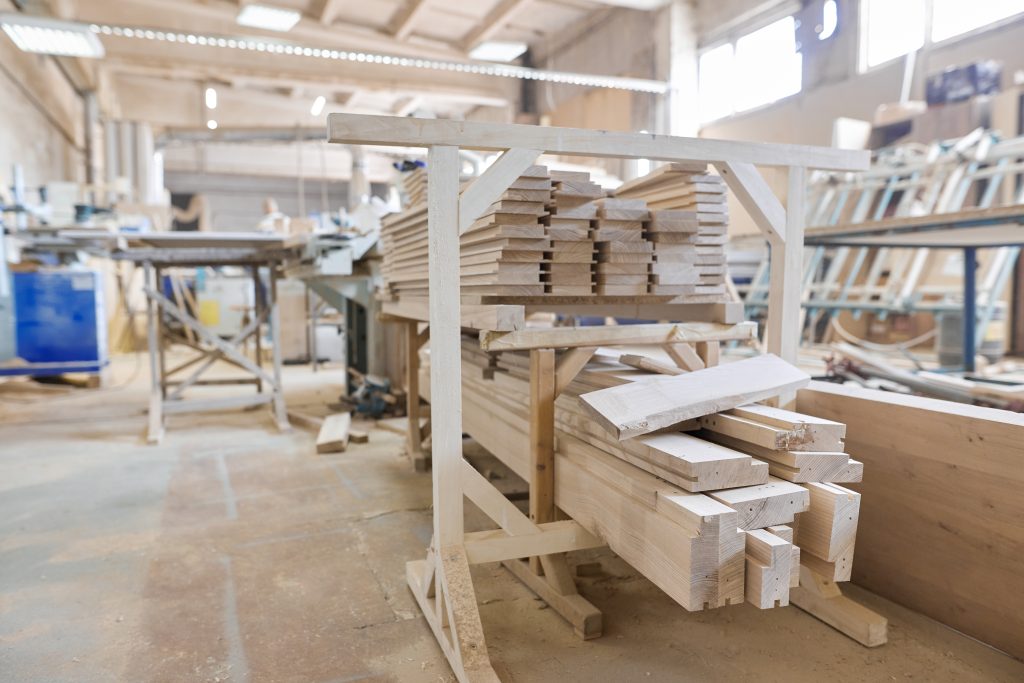
From guesswork to clarity on every job site
Equipping install crews isn’t just about sending more pages or adding more apps. It’s about designing a clear, predictable flow of information from the moment a project is sold to the moment the last shim is trimmed and the vacuum goes back in the van.
When you:
🪚Build a single source of truth for each job
🪚Turn that truth into a structured, repeatable install pack
🪚Put that pack in your crews’ hands digitally, not just on paper
🪚Formalize how changes are made and recorded on-site
🪚Listen to what installs reveal about your upstream process
you replace jobsite guesswork with jobsite clarity.
Tools like Woodshop Master exist to support exactly this kind of connected workflow: one place for your orders, drawings, notes, schedule, and field communication to live together, instead of fighting each other. The result isn’t just fewer phone calls from stressed installers. It’s smoother days, cleaner finishes, and clients who feel like everything was under control the whole time.
Because in the end, a “good install” is just a good information system showing up where it matters most.
👉 Book a demo today and see how Woodshop Master helps your shop grow without limits.

