
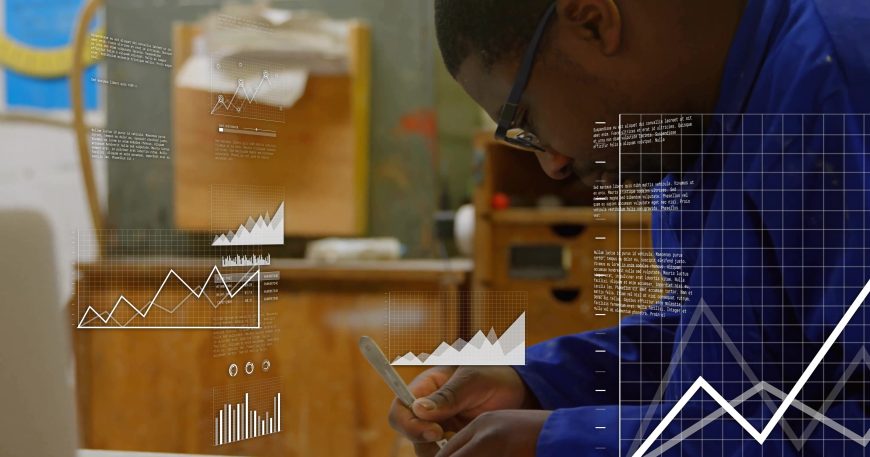
Walk into almost any busy woodshop and you’ll see the same thing: clipboards on walls, dry-erase boards with half-faded notes, a laptop open to a spreadsheet, and a scattering of sticky notes in the office and on machines. It “works” — until it doesn’t.
A client moves an install date and the whiteboard doesn’t get updated. A sticky note with a crucial dimension falls off a folder. The spreadsheet that tracks inventory lives on one computer, and the person who “knows how it works” is out sick. Suddenly, the day feels like firefighting instead of building.
That’s usually when shop owners start thinking about “going digital.” But the moment you google software, it can feel like stepping into another world: ERP, MRP, KPIs, dashboards, integrations. You’re trying to run a woodshop, not a software company.
This article is about digitalizing your woodshop without overwhelm moving from sticky notes to smart workspaces in a way that respects how your shop actually works today.
What “digitalizing your woodshop” really means
Digitalizing isn’t about installing the biggest, most complicated ERP you can find. It’s about turning the information you already use to run your shop quotes, drawings, cut lists, due dates, material counts, client details into live, connected data instead of scattered notes.
In a modern woodshop system like Woodshop Master, that usually means bringing together a few core pieces: quoting, order management, inventory, job tracking, and basic financial visibility, all in one place.
The goal isn’t to change your craft. It’s to remove the friction between all the steps around it.
Digitalization, done right, should:
🔨 Reduce the number of times you re-enter the same data
🔨 Make it obvious what needs to be done next
🔨 Help you catch problems before they become expensive rework
🔨 Give everyone the same, up-to-date picture of the work
If your “digital” setup doesn’t make those four things easier, it’s just a fancy spreadsheet.
The hidden cost of analog systems
Sticky notes and whiteboards have two advantages: they’re cheap and they’re fast. That’s why shops rely on them. But they come with hidden costs that grow as you take on more work.
1. No single source of truth
The job details are on the quote PDF in someone’s inbox, the due date is on the whiteboard, the material count is in a spreadsheet, and the latest change is in a text message. Each one might be “right” but only if you ask the right person at the right time.
2. Re-entering the same information
You quote the job, then re-type parts of that quote into a spreadsheet, then re-write parts of it on the board for the shop, then re-explain it again to the install crew. Every touchpoint is a chance for errors.
3. No visibility into what’s actually happening
When your information lives on walls and in heads, it’s almost impossible to answer questions like:“What’s really blocking this job?”
“Are we on track for Friday?”
“How many hours did that install actually take vs. what we quoted?”
Those questions matter for pricing, scheduling, and deciding when it’s safe to grow.

Step 1: Map your real workflows (not the ideal ones)
Before you touch software, spend a little time mapping what actually happens in your shop today. Not what “should” happen what truly happens when a job comes in.
For each typical project (say, a kitchen, a set of custom doors, or a run of tables), jot down:
1.How the request comes in (phone, email, social, walk-in)
2.How you price it (back-of-napkin, spreadsheet, old quotes, gut feel)
3.How you approve it (signed quote, deposit, email “yes”)
4.How you plan it (who decides start date, who assigns tasks)
5.How the shop gets instructions (printed packet, rough sketch, verbal)
6.How you track progress (whiteboard, group chat, “just ask the foreman”)
7.How you close it out (invoice, collect payment, update any records)
You’ll probably see the same pain points over and over: delays, miscommunications, double-entry, uncertainty about status. Those are your digitalization targets.
Step 2: Start with one workflow, not the whole shop
The fastest way to create software resentment is to try to move everything into a digital system in one shot. A better approach: start with one workflow that is clearly painful and easy to measure.
For many woodshops, that first workflow is either:
🔨Quoting & job setup (because it impacts revenue and expectations), or
🔨Job tracking on the shop floor (because it impacts deadlines and chaos).
Pick one and define a simple success metric:
🪚“We want quotes to go out within 24–48 hours instead of a week.”
🪚“We want to see, at any time, which jobs are blocked and why.”
Then configure your software around that one goal first. In Woodshop Master, that might look like:
🔨Creating a standard quote template with labor, materials, and options
🔨Turning an approved quote into an order with one click
🔨Automatically generating tasks and statuses for the shop floor
Once that workflow feels natural, you move on to the next.
Step 3: Connect your data so it flows once
The magic of a true smart workspace is that data flows once through the system instead of being retyped.
A simple example:
1.A quote is created for an entry door.
2.When approved, that quote becomes an order with a defined scope, due date, and price.
3.That order automatically pulls in a material list and checks inventory.
4.The material list reserves stock or triggers purchase needs.
5.The job appears on the production schedule with clear stages (milling, assembly, finishing, install).
Instead of five separate documents and two whiteboards, there’s one connected object: the order. Tools like Woodshop Master are designed exactly around that “every order is a project” concept.
You still see the information in familiar ways lists, calendars, boards but they’re all pulling from the same underlying record.
Step 4: Bring the shop floor in (without making it complicated)
A digital system that only lives in the office isn’t much better than a spreadsheet. To really work, your shop floor needs simple, real-time visibility.
That doesn’t mean handing every team member a complex dashboard. It might be as simple as:A tablet at the workbench showing the day’s jobs and their current status
A work order view with dimensions, drawings, and notes all in one place
A way for the crew to mark tasks as started/finished without digging through menus
The key is to make it easier than walking back to the office to ask, “What’s next?”
When information from the floor flows back into the system task completion, time spent, material used your data becomes more accurate with almost no extra effort.

Step 5: Address the most common fears up front
When shops hesitate to go digital, the reasons are usually very human:
“We’re not tech people.”
Good software for woodshops should feel like an organized, interactive version of what you already don’t an accounting course. If a system needs a full-time admin just to keep it alive, it’s probably not the right fit for a small or medium shop.
“We don’t have time to set this up.”
You’re already spending time chasing information. A focused rollout one workflow at a time usually gives time back within a few weeks. Start with the area where you feel the most pain (or lose the most money).
“I don’t want to lose my way of working.”
Digitalizing doesn’t mean turning your shop into a factory. It means giving your existing way of working a backbone: consistent processes, clear information, fewer surprises.
Why picking Woodshop-specific software matters
Generic business tools can help a bit spreadsheets, standard CRMs, or generic project managers. But woodshops have specific needs: materials, cut lists, yield, labor vs. machine time, installs, and long lead times.
WoodshopMaster, for example, is built specifically for woodshops and their ecosystem of quoting, inventory, orders, and shop-floor workflows.
That means:
🔨The language makes sense to your team
🔨The workflows match how a real shop runs
🔨The features focus on the jobs, materials, and schedules that define your day
When the software “speaks woodshop,” adoption is easier and you get value faster.
Getting started: your next small step
You don’t have to replace every clipboard tomorrow. A realistic starting plan might look like this:
1.Map your current process for one type of job.
2.Choose the first workflow to digitalize (quoting or job tracking).
3.Set a simple success metric.
4.Configure a woodshop-focused system like Woodshop Master around that metric.
5.Give your team one simple interface to start using daily.
6.Review after 30–60 days and then add the next workflow.
Digitalizing your woodshop isn’t about becoming a different kind of business. It’s about freeing up more of your time and attention for the work that actually matters: the builds, the details, and the clients you serve.
If you’re ready to move past sticky notes and scattered tools, explore how Woodshop Master can give your shop a clear, connected workspace without the overwhelm.
👉 Book a demo today and see how Woodshop Master helps your shop grow without limits.


